
Think of it this way: a messy photo library is like having a closet stuffed with clothes you never wear. Every time you want to find that one cute outfit (or that one adorable picture of your kid), you have to dig through a pile of junk.
Cleaning up your photos isn’t just about saving space. It’s about reclaiming your time. How many minutes have you spent scrolling past blurry pictures just to find a good one from last summer?
Plus, a clean library makes your phone feel faster. It’s like giving your device a little spa day—everything just works better. And honestly, your future self will thank you when you’re looking for a specific memory without the headache.
The "Three-Pass" rule for a happier camera roll
Start with the obvious junk. Screenshots of expired coupons, blurry photos of your foot, and those accidental pocket shots of the inside of your bag. Delete them all without guilt. You don’t need to memorialize a photo that looks like a crime scene from a potato.
Next, tackle the doubles and triples. We all do it—take five photos of the sunset hoping one will be perfect. Spoiler: only one is. Delete the copies. It feels oddly satisfying, like finishing a puzzle.
Finally, look for the "almost good" photos. You know, the ones where the lighting is terrible but you keep them just in case. Be brave. Press delete. You can’t fix a photo that’s basically a silhouette of a shadow.
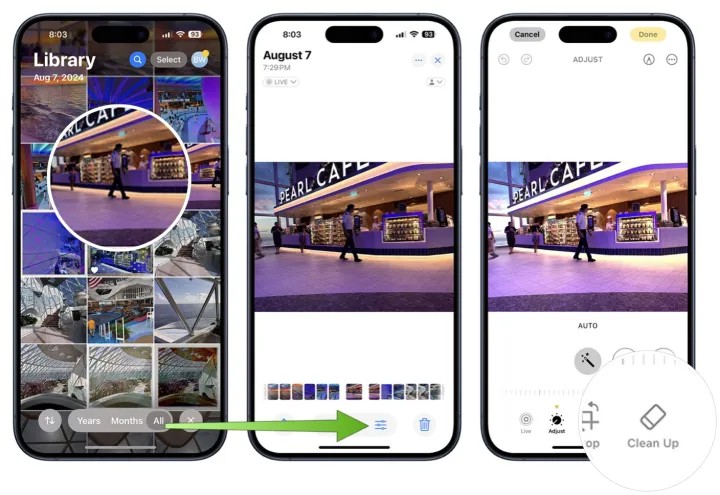 iOS 18 Clean Up: How to Clean up Photos on iPhone

