
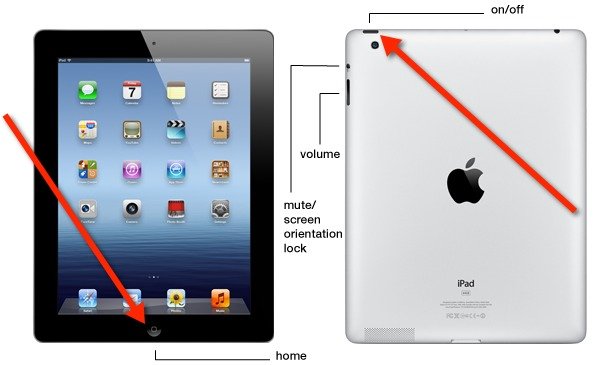
Did you wait long enough? Try again. Sometimes you have to hold the button for ten seconds. Or even fifteen. It feels like an eternity in tech-time, I know. But your iPad needs to fully surrender. If nothing happens after a solid 20 seconds, double-check your model. Did you press the right volume buttons in the right order? I once messed up and started tapping the volume buttons like a secret code to my microwave. Embarrassing.
 iPad disabled, options? – Practical Help for Your Digital Life®
Also, is your iPad plugged in? A dead battery is the ultimate troll. Plug it into a charger, wait a few minutes, then try the button combo again. If your screen stays black like a void, your battery might just be flat-out dead. That’s not a fixable-with-buttons problem — that’s a “leave it alone for an hour” problem.

