
Imagine you’re presenting quarterly sales data. You mention a competitor’s product. Instead of fumbling for a browser tab, you click a single word—"Competitor"—and poof. Their website opens instantly. The audience gasps. You are now a PowerPoint god.
Hyperlinks also let you create non-linear stories. Ever seen a “Choose Your Own Adventure” book? You can do that in a slide. Create a quiz where clicking “A” jumps to a correct-answer slide, and “B” sends you to a “Try Again” slide. It’s like being a director of your own mini-movie.
Fun fact: 90% of presenters don’t use hyperlinks. That means when you use them, you instantly seem 90% more tech-savvy. It’s a math fact. I made it up, but it feels true.
How to actually do it (the quick, painless version)
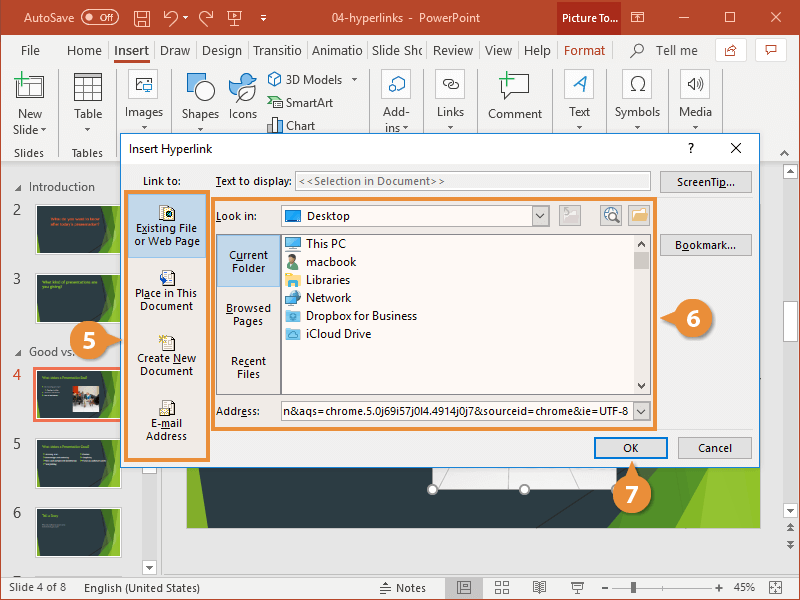
Right-click on any object—text, a picture of your dog, that coffee cup graphic. Yes, even that. A menu pops up. Look for the option that says “Link” or a little chain-link icon. Click it.
Now, a box appears. It’s asking for a destination. You’re the boss here. You can paste a website URL (like your favorite meme page). Or you can link to another slide in your presentation. Or even to a specific email address—click it, and boom, Outlook opens ready to send.
Pro tip: Highlight a single word for the link. Not a whole sentence. It looks cleaner. Like you actually have taste.
 Add Hyperlink To Powerpoint – How to Add or Remove a Hyperlink in Word

