
First, a tiny but crucial distinction. Deleting a book from your Kindle device does not erase it from your Amazon account. Think of it as hiding a messy sweater under the bed—it’s still there if you need it. Removing it permanently from your account is like donating it to Goodwill; it’s gone for good.
Which one do you want? Probably the first option, unless you truly hate that particular book. (I’m looking at you, How to Organize Your Closet in 10 Easy Steps.)
Option 1: Clearing Your Kindle Device (The “I’m Just Tidying Up” Method)
Grab your Kindle and go to your Library. Tap and hold the cover of the book you want to banish. A menu will pop up—select “Remove from Device.” That’s it. Gone from your screen, but still stored in your Amazon cloud.
Feeling ambitious? You can do this in bulk. On the home screen, tap the three dots (top right), choose “Manage Your Content and Devices,” and tick multiple titles. Then hit “Remove from Device.” It’s like hitting Ctrl+Z on your bad reading habits—instant relief.
Side note: This doesn’t affect your highlights or notes. They’ll still be saved online. So your deep thoughts about that romance novel? Safe and sound.
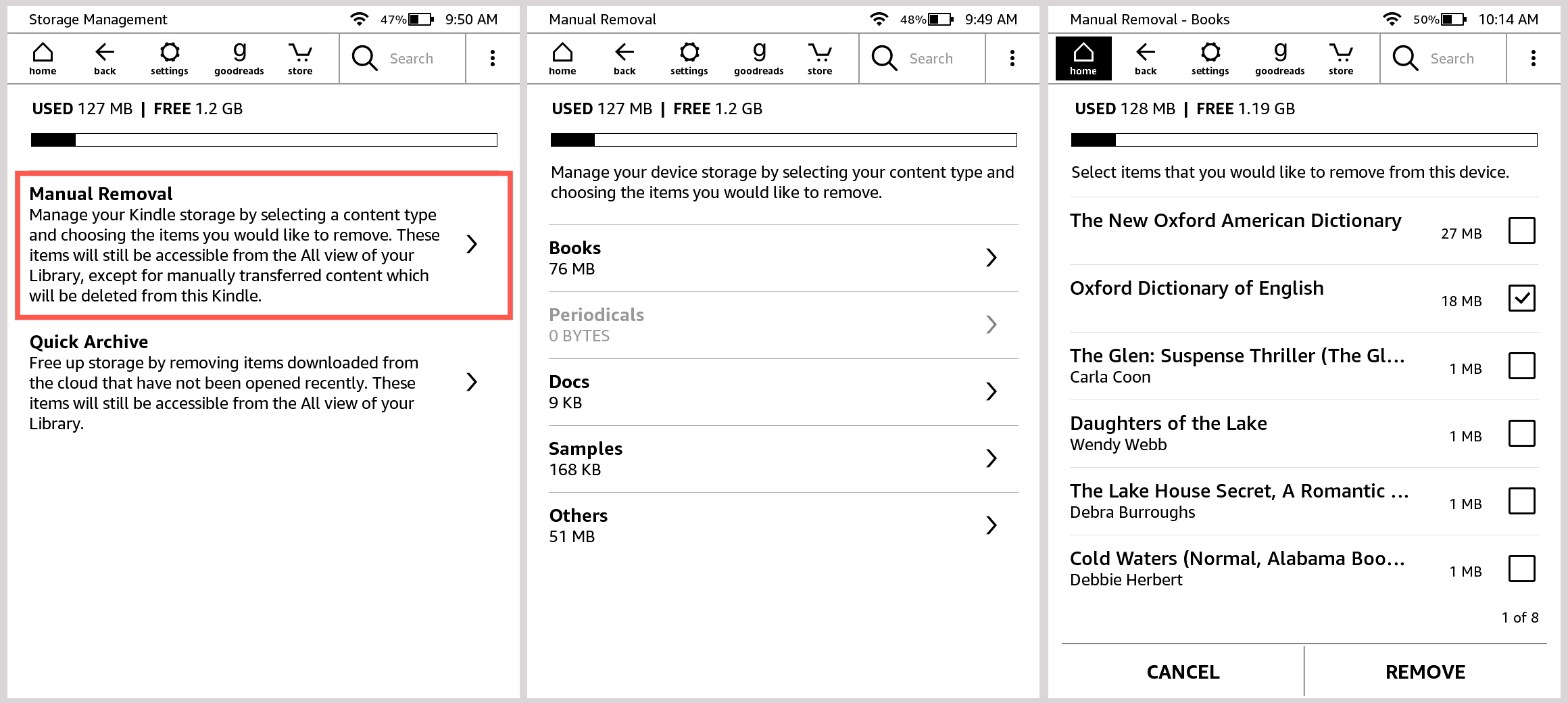 How to manage storage space on a Kindle Paperwhite
Option 2: Permanent Deletion (The “We Need to Break Up” Method)
This is for the books you know you’ll never touch again. Maybe it’s a free sample you clicked by accident, or that thriller your coworker pressured you into reading—and you hated it. Go to Amazon’s website (not your Kindle app). Log in, then click “Account & Lists” > “Content and Devices.”
Find the offending book. You’ll see a “Delete” button—usually with a little red warning that says “This action is permanent.” Click it. Poof. No take-backs. (Unless you email Amazon support, which is like begging an ex to return your Tupperware.)
Be careful: You cannot re-download this book for free if you delete it permanently. So unless you’re absolutely sure, stick with the “Remove from Device” method first. Sleep on it. Maybe you’ll miss that cheesy sci-fi novel after all.

