Go back to the Table Design tab. Find the checkbox that says Total Row. Check it. A new row appears at the bottom of your table.
It automatically shows the sum of the last column. But click that cell—you can change it to Average, Count, Max, or even Min. It’s like a calculator that lives inside your table.
Need the total of all your expenses? Boom. Done. No formula typing. Excel whispers, “I got you, pal.”
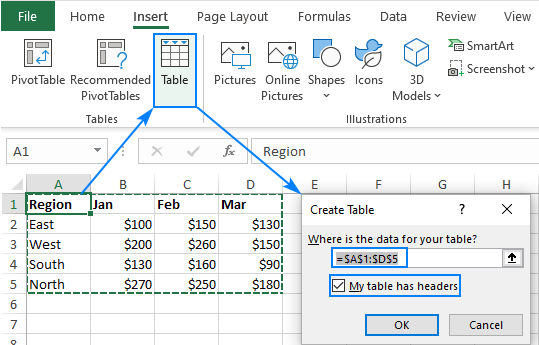
 How To Make A Basic Table In Excel
Extra tricks for overachievers (you know who you are)
You can name your table. In the Table Design tab, look for the “Table Name” box on the left. Call it “MyAwesomeData” or “DonutFund2024.” Just no spaces, okay?
Named tables let you write formulas that are super easy. For example, =SUM(MyAwesomeData[Amount]). That’s it. No cell references. Excel understands regular English. Congratulations, you’re now a programmer.
Oh, and if you add a new row below the table, it automatically expands. Try it. Type something in the empty row right under your last row. The table swallows it up like a hungry Excel snake.

