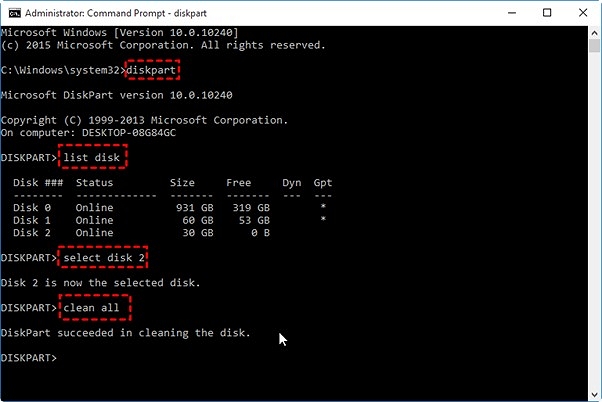
If you’re not paranoid about government-level data recovery, Windows XP has a built-in tool called Diskpart. It’s like the quiet kid in class who suddenly becomes useful. Boot up your PC, go to Start > Run, type “cmd,” and hit Enter. Then type “diskpart” and press Enter again—congrats, you’re now in the geek zone.
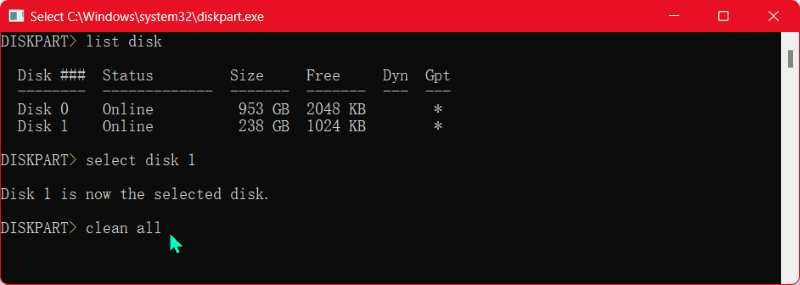
Now type “list disk” and find your hard drive (usually Disk 0). Be careful: don’t pick the wrong one, unless you want to wipe your perfectly good flash drive. Then type “select disk 0” (or whatever number it is), and finally “clean all.” This tells XP to overwrite every single sector with zeros. It’ll take a while—like, hours—so grab a coffee, watch a movie, or contemplate how far we’ve come from dial-up. When it’s done, your data is gone, and your drive is treated like a fresh slab of nothingness.
 Wipe Hard Drive on Windows XP with DoYourData Super Eraser

