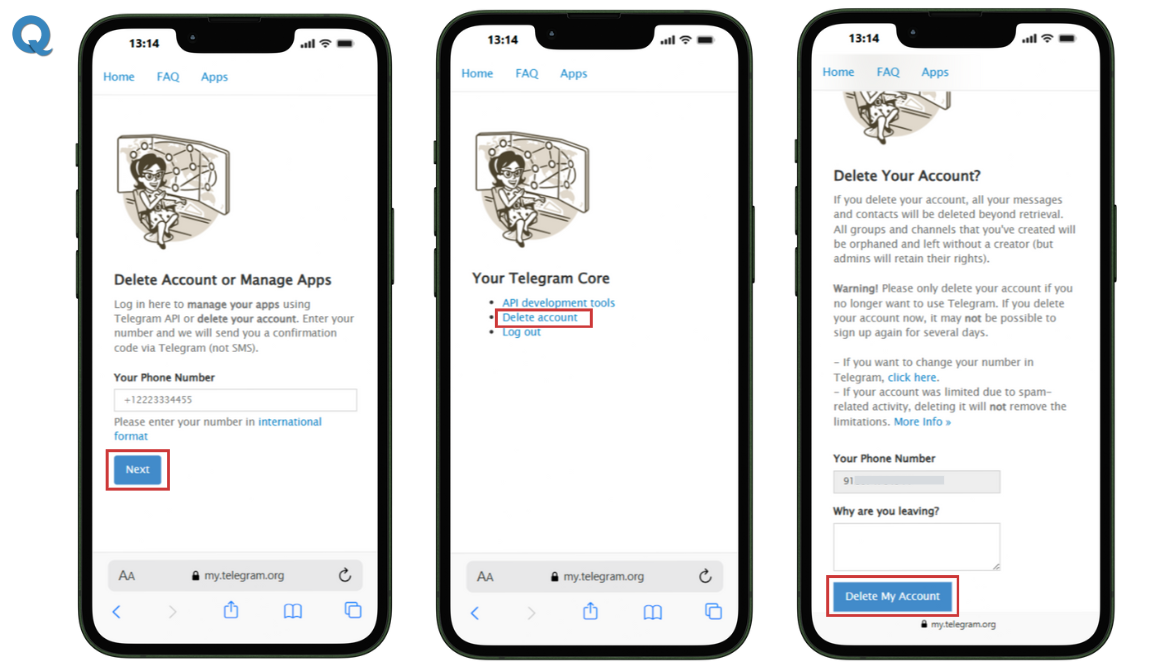
In the "Privacy and Security" section, scroll down to the "Account" or "Delete Account" option, depending on your device and app version. Tap on this option to initiate the account deletion process. You'll be asked to confirm your decision and provide a reason for deleting your account, which is optional but helps Telegram improve their services.
 How to delete your Telegram account?
Once you've confirmed your decision, your account will be permanently deleted, and all associated data will be removed. It's essential to note that deleting your account will also remove your access to all Telegram services, including secret chats and channels. If you're sure about deleting your account, follow the on-screen instructions to complete the process.

