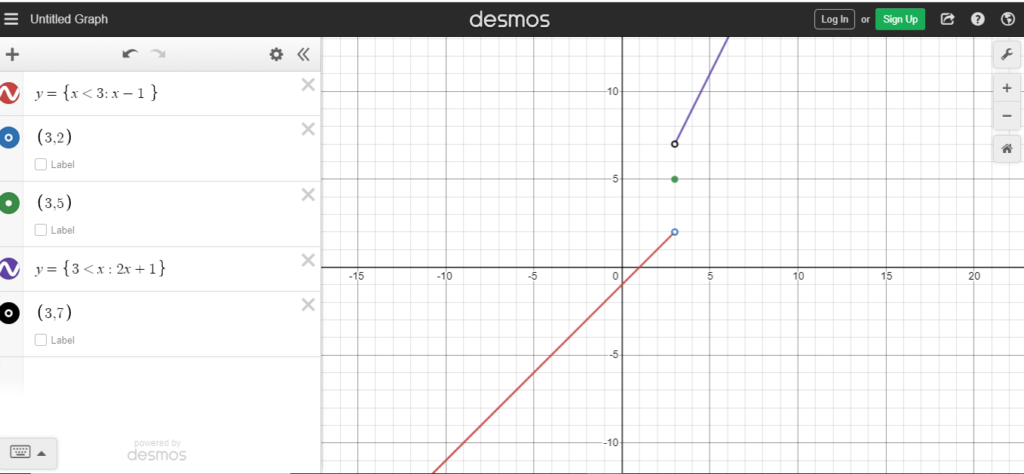
First, you need to admit that no single equation can handle life’s curveballs. A simple line is like a one-size-fits-all T-shirt—fine for lounging, but terrible for a job interview. So, open up Desmos (the online calculator, not the gym). It’s free and friendlier than your postman.
Type the opening curly brace “{” on a new line. Yes, it looks like a cat’s ear poking out. That curly brace is the bouncer at the club, deciding which x-values get to dance with which y-values. Right after it, you’ll type your first condition, like “x < 2.” This tells Desmos, “Only let numbers smaller than 2 enter this VIP section.”
Then, add a comma and type the expression for that range, such as “x + 1.” The whole thing looks like: {x < 2 : x + 1}. It’s basically yelling, “If you’re less than 2, your line goes up by one!” Desmos obeys without question, unlike your cat.
The “Sticky” Middle Part
Now you need a second rule. Add another comma, then another condition, like “x >= 2 and x <= 5,” followed by a colon and a new equation. This is the “toddler in the grocery store” part—it refuses to play by the same rules. For example, {x >= 2 and x <= 5 : 3} would draw a flat, boring horizontal line. Sometimes life just wants to be a dead battery.
Don’t forget to close the whole thing with a second curly brace “}”. It’s like putting a lid on a screaming stew pot. If you forget it, Desmos will stare at you blankly, and you’ll feel like you forgot to press the gas pedal while driving. No one wants that.
You can keep adding rules: a third, a fourth, a whole grocery list of moods. Just separate each one with a comma. It’s like writing a list of chores, but the chores are math, and they actually look pretty when graphed.

