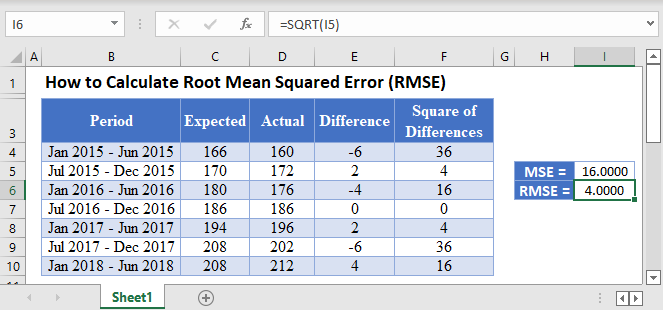
Now you need the mean of those squared errors. Click an empty cell. Type: =AVERAGE(D2:D10). Adjust the range if you have less data. Press Enter.
You get a single number. This is the Mean Squared Error, or MSE. It’s RMSE’s ugly cousin. Don’t stop here—we’re going all the way.
MSE is useful, but it’s not in the same units as your data. If your data is in dollars, MSE is in square dollars. Try paying rent with that. Nope, we need the root.

