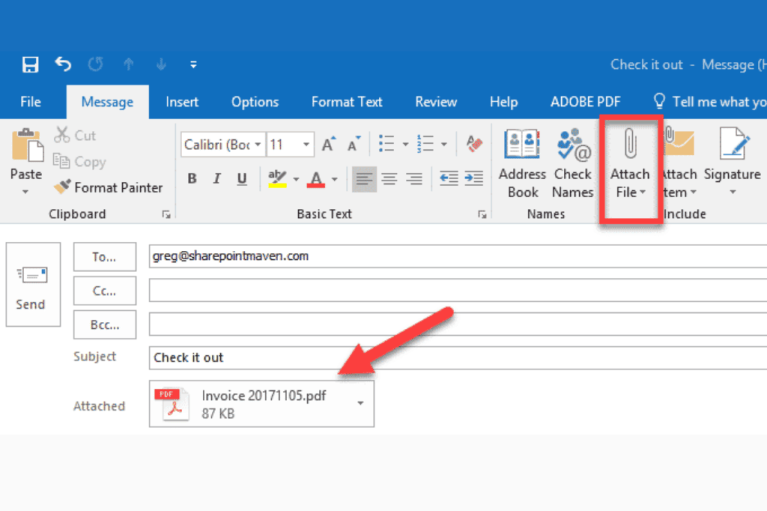
Here’s a secret I only discovered after accidentally deleting my desktop: you can create a new folder inside Outlook itself. No, not to attach it—that’s still illegal. But you can right-click your “Inbox” and create a subfolder. Then, drag files into that folder from your email. It’s for receiving, not sending.
Use this to organize your life. I have a folder called “Things I’ll Reply to Eventually.” It’s like a digital purgatory. But when someone asks for a folder dump, send them a link or a ZIP. Your sanity will thank you.
 How to attach a folder in an email message in Outlook?
What If It’s a Giant Folder? (Size Matters)
Outlook usually caps attachment sizes around 20-25 MB. A folder of high-res memes or scanned receipts will blow that limit faster than my diet on pizza night. If your ZIP is too big, split it. Use a tool like 7-Zip to break it into “Part 1” and “Part 2.”
Or, just upload to the cloud and send the link. I learned this the hard way when I tried sending a 50 MB folder of “Marketing Assets” to my boss. The email bounced back with a red error message that looked like a warning from a horror movie. Now, I always check size first.

