
First, don’t fall for the "just add a second listing" trap from old accounts. Google has a feature for this now. You’ll use your existing Google Business Profile dashboard.
Look for the "Add location" button inside your account. It’s usually hiding under the "Manage locations" section. Click it, and you’ll start a fresh profile for your new spot.
Here’s the secret sauce: use a different phone number and email for this new location if you can. Google likes to see that each place has its own heartbeat, not just a clone of the first one.
Oh, and verify it immediately. Google will probably send a postcard to the new address. Yes, 2026 and we’re still waiting on snail mail. But it’s the most reliable way to lock in that listing.
What NOT to Do (The "Oops" Pitfalls)
Do you have a home office and a retail shop? Nice combo, but don’t list your home address if you don’t serve customers there. Google will see it as spammy, and your profile could get slapped with a suspension.
Also, never use the same photos for both locations. That’s like wearing the same outfit to two different parties and hoping nobody notices. Take fresh photos of the second spot, with its own unique sign and vibe.
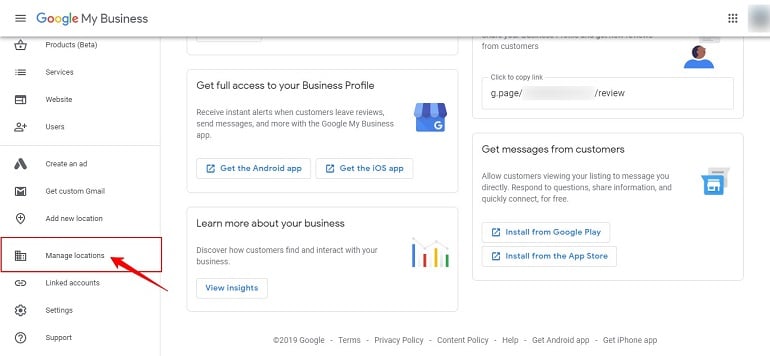 How to Add Second Location in Google My Business (GMB)? - BizTips
And whatever you do, don’t try to merge them into one listing with two addresses. Google’s algorithm will treat that like a puzzle it can’t solve, and your business might disappear from Maps entirely. Yikes.

